Phone: +86-178-1682-8319 | Email: sales@befitter.com.cn

Views: 0 Author: Site Editor Publish Time: 2026-03-16 Origin: Site
A laminating machine helps protect documents, photos, and signs by sealing them inside durable plastic film. If you are wondering how to use a laminating machine, the process is easier than it looks. From choosing the right laminating pouch to setting proper temperature and feeding the document correctly, a few simple steps can produce clean results. This guide explains how laminators work, how to laminate documents safely, and how to achieve smooth, professional finishes every time.
A laminating machine protects printed materials by sealing them inside thin plastic layers. It strengthens paper. It blocks moisture. It also improves appearance.
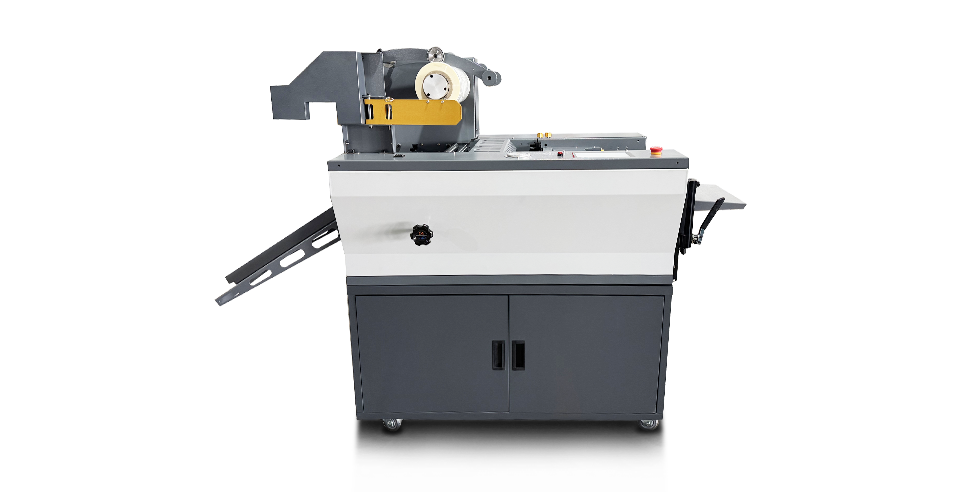
Most laminating machines share a similar structure. Each component helps control the lamination process. Below are the main parts you will usually see.
| Component | Purpose |
|---|---|
| Heating Rollers | Apply heat and pressure to seal the plastic film |
| Feed Tray | Guides the pouch straight into the machine |
| Laminating Film or Pouch System | Plastic layer that protects the document |
| Temperature Controls | Adjust heat based on film thickness |
| Speed Controls | Change feed rate for different materials |
| Safety Sensors | Detect jams or overheating |
Heating rollers sit inside the laminator. They warm up before use. Once hot, they activate the adhesive on the plastic film.
The feed tray keeps the pouch aligned. Straight feeding prevents wrinkles or jams.
The film or pouch system provides the protective plastic layer. Some machines use film rolls. Others use sealed pouches.
Temperature and speed controls adjust the lamination settings. Thick pouches need more heat and slower speed. Thin pouches work better at lower heat and faster feed rates.
Modern laminators may include jam detection sensors. They stop the machine automatically if something blocks the rollers.
A laminating machine works on many materials, not just paper. Most people laminate documents for protection. However, businesses also laminate graphics, labels, and technical materials.
Common examples include:
Office documents
Certificates and awards
Photographs
Business cards
ID badges
Instruction sheets
Restaurant menus
Promotional posters
Safety signs
Some industries laminate electronic components or protective films. Smartphone repair shops often laminate display layers or screen protectors.
| Material Type | Why It’s Laminated |
|---|---|
| Paper documents | Protect from moisture and wear |
| Photos | Preserve color and prevent fading |
| Certificates | Improve durability and presentation |
| ID cards | Increase strength for daily handling |
| Posters and signage | Protect from dirt and damage |
| Electronics films | Shield delicate surfaces |
The plastic layer also adds rigidity. Documents become harder to tear. Surfaces become easier to clean. Many laminated sheets can even be written on using dry-erase markers. That makes them useful for reusable checklists or schedules.
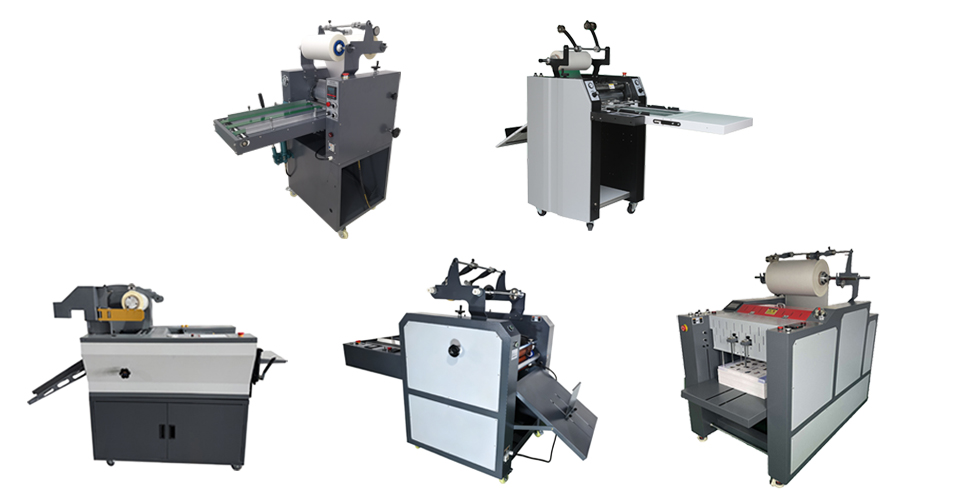
Using a laminating machine is simple once you understand the process. We place a document inside plastic film, then the laminator seals it using heat and pressure. Most machines follow the same workflow, so after a few tries it becomes routine. The steps below show how to laminate documents safely and achieve smooth results.
Start by selecting the correct laminating pouch or laminating film. The pouch size should match the document size, leaving a small plastic border around the edges. This extra space allows the plastic layers to seal properly during lamination.
Common pouch sizes include:
| Document Type | Typical Pouch Size |
|---|---|
| Letter document | 8.5 × 11 inches |
| Business card | 2.25 × 3.5 inches |
| ID badge | 4 × 3 inches |
| Posters or signs | A3 or larger |
Thickness also plays an important role in durability. Laminating pouches are usually measured in microns. Thicker film produces stronger protection, while thinner film works for temporary materials.
| Thickness | Recommended Use |
|---|---|
| 80–100 microns | Everyday office documents |
| 125 microns | Posters or classroom materials |
| 175+ microns | Durable ID cards or signage |
Choose the thickness based on how often the laminated item will be handled.
Next, switch on the laminator and allow it to preheat. Most machines need around 3–5 minutes before they reach operating temperature. Compact models may warm up faster, but it is still important to wait until the machine signals readiness. Many laminators use indicator lights. An orange light often shows the machine is heating. A green light means it is ready for use. Temperature settings should match the pouch thickness.
| Pouch Thickness | Suggested Heat Level |
|---|---|
| Thin pouches | Low temperature |
| Medium pouches | Medium temperature |
| Thick pouches | High temperature |
Allow the laminator to fully heat before inserting a pouch. Feeding a pouch too early may lead to wrinkles or poor sealing.
Prepare the document before placing it inside the laminating pouch. Trim the paper if necessary so the edges look clean. Straight edges help the lamination process stay smooth. Next, check the surface of the document. Dust, dirt, or small particles can create bubbles after lamination. A quick wipe keeps the surface clean. Place the document inside the pouch and center it carefully. Try to leave equal spacing on each side. Avoid folding the pouch or bending the film during this step.
Helpful alignment tips include:
Keep the document centered inside the pouch
Maintain equal borders around the paper
Smooth the pouch before inserting it into the machine
Proper preparation improves the final appearance of the laminated sheet.
Insert the laminating pouch into the machine once it is ready. Always feed the sealed edge first. This edge keeps the pouch closed while the rollers pull it through the laminator. Use the feed tray to guide the pouch straight into the machine. Avoid pushing it forward manually. The rollers are designed to grab the pouch and move it at a controlled speed.
A few important practices help prevent jams:
Insert the sealed edge first
Keep the pouch straight while feeding
Let the machine pull the pouch automatically
Following these steps helps the laminator apply even heat and pressure.
Once the pouch enters the rollers, the lamination process begins. It usually takes 20–60 seconds for the document to pass through the machine. Thicker pouches or slower machines may take a little longer. During this stage, simply watch the sheet move through the laminator. Avoid touching or pulling it while it is still inside. Manual interference can disrupt the pressure applied by the rollers. The laminated document will gradually slide out from the rear exit of the machine.
The laminated sheet will feel warm when it exits the laminator. Place it on a flat surface and allow it to cool naturally for one or two minutes. Cooling on a flat table helps the plastic film settle evenly. If the sheet is lifted too early, the edges may curl or warp slightly. Keeping it flat ensures the laminated surface stays smooth and professional.
Some users trim the edges after lamination to create a cleaner appearance. This step is optional, but it can improve the final presentation. When trimming, leave a small plastic border around the document. This border keeps the plastic layers sealed and prevents peeling.
Common trimming tools include:
| Tool | Best Use |
|---|---|
| Scissors | Small items like ID cards |
| Paper trimmer | Straight edges on documents |
| Rotary cutter | Large posters or signs |
Avoid cutting too close to the document edge. A small sealed margin keeps the lamination secure.
A laminating machine may look simple from the outside. Inside, several components work together to seal plastic film around a document. Heat softens adhesive layers. Rollers apply pressure. The machine then guides the pouch through a controlled path. Most laminators rely on a small heating system and a set of rotating rollers. These parts ensure smooth bonding between the plastic film and the document surface.
Heat and pressure form the core of the lamination process. Laminating film contains a thin adhesive layer. When it passes through heated rollers, the adhesive softens and becomes tacky. The rollers press the film tightly against the document. Pressure spreads the adhesive evenly across the surface. Air pockets disappear during this stage, so the plastic bonds firmly.
The process usually follows this sequence:
| Stage | What Happens |
|---|---|
| Heating | Rollers warm the laminating film |
| Adhesive activation | Heat softens the glue layer |
| Pressure bonding | Rollers press the film against the document |
| Cooling | Adhesive solidifies and locks the layers together |
Temperature must stay within a specific range. Too little heat causes weak bonding. Too much heat may warp the film or wrinkle the document.
Rollers control movement, pressure, and surface finish. Most laminators contain two, four, or six rollers. Each configuration affects the final lamination quality.
| Roller Count | Typical Use | Result |
|---|---|---|
| Two rollers | Basic home laminators | Acceptable for simple documents |
| Four rollers | Office laminators | Smoother lamination and fewer bubbles |
| Six rollers | Professional machines | High-quality bonding and consistent pressure |
Two-roller machines perform the basic job. They heat and press the pouch in a single stage. They work well for simple projects. Four-roller laminators add extra pressure stages. Two rollers heat the pouch. Two others smooth the film as it exits. This reduces wrinkles. Six-roller systems appear in professional environments. They stabilize the pouch during entry, bonding, and exit. The result often looks clearer and flatter. Additional rollers also help distribute pressure more evenly. They improve edge sealing and reduce trapped air.
Temperature and speed settings control how the laminator handles different materials. Each project may require small adjustments. Thicker laminating pouches need more heat and slower movement. The adhesive layer takes longer to activate. Slower speed allows the rollers to apply steady pressure. Thin pouches require lower heat and faster feed speeds. Too much heat may distort the plastic film.
Here is a general guideline:
| Pouch Thickness | Heat Level | Speed |
|---|---|---|
| Thin film (80–100 microns) | Low | Faster |
| Medium film (125 microns) | Medium | Moderate |
| Thick film (175+ microns) | High | Slower |
Many modern laminators include digital controls. We adjust heat levels using a simple dial or control panel. Some machines automatically balance temperature and speed. Small adjustments can improve the final finish. If bubbles appear, the heat may be too low. If the film curls, the temperature may be too high.
A: It depends on durability needs. Thin pouches (80–100 microns) suit everyday documents. Medium pouches (125 microns) work well for posters or teaching materials. Thick pouches (175 microns or higher) provide stronger protection for ID cards, menus, or frequently handled items.
A: Most laminators heat up in about 3–5 minutes. Compact home models sometimes warm up faster, often within one minute. Indicator lights usually show readiness. Wait until the machine reaches proper temperature before feeding a pouch.
A: Many laminators handle thicker materials if the machine supports higher micron pouches. Office and professional models often process 175–250 micron film. Use slower speeds and higher heat settings. Always check the laminator’s maximum thickness rating first.
Using a laminating machine becomes straightforward once you understand the process. By selecting the correct pouch thickness, preparing documents carefully, and adjusting temperature and speed settings, you can produce durable laminated materials for offices, schools, and businesses. With the right technique, laminators create smooth finishes, protect important documents, and extend the life of printed materials.
If you are looking for reliable laminating equipment,Hangzhou Befitter Machinery & Electronic Co., Ltd. provides high-quality laminating machines designed for stable performance and consistent results.


